
A monitor is an upgrade you use every time you sit down, but the right one depends on what fills the screen. These ten choices cover home-office work, competitive PC gaming and wide-screen play. Match the panel to your routine, measure the desk and confirm that your computer can drive the resolution and refresh rate before choosing.
Dell UltraSharp 32 4K Thunderbolt Hub Monitor
U3225QE, 31.5-inch 4K IPS Black

This large 4K display suits a work desk with several windows open and a laptop that can use its Thunderbolt hub. The 120 Hz panel also makes scrolling smoother, but the monitor has no speakers, so plan a separate audio setup if you need one.
Check current price on AmazonPaid link may earn commission.
BenQ MA270U 4K Monitor for MacBook
MA270U, 27-inch 4K

This 27-inch 4K screen is aimed at MacBook owners who want a matching desk display with familiar brightness and volume controls. Its USB-C connection can carry the picture and charge a compatible laptop, but confirm your exact Mac and cable support before treating it as a complete docking solution.
Check current price on AmazonPaid link may earn commission.
Sony INZONE M10S OLED Gaming Monitor
SDM-27Q10S, 27-inch QHD OLED

The M10S puts competitive PC gaming ahead of maximum resolution, pairing a 27-inch QHD OLED panel with a very high refresh rate. It is a focused choice for a player who can drive fast frame rates; someone mainly editing documents may prefer a sharper 4K work display.
Check current price on AmazonPaid link may earn commission.
LG UltraGear 45-inch OLED 5K2K Gaming Monitor
45GX950A-B, 45-inch curved 5120 x 2160 OLED

This large curved OLED is for someone who wants a wide game view and more vertical detail than a typical 1440p ultrawide. The 5K2K resolution makes it a demanding partner for a graphics card, and its faster low-resolution mode is an alternative rather than a promise of maximum resolution and maximum speed together.
Check current price on AmazonPaid link may earn commission.
Dell 32 Plus 4K Monitor
S3225QS, 31.5-inch 4K VA

The S3225QS is a straightforward large 4K screen for a home desk that also handles streaming and light gaming. It includes speakers and runs up to 120 Hz, but it does not offer the Thunderbolt hub of the UltraSharp model in this guide, so choose based on the connections you actually need.
Check current price on AmazonPaid link may earn commission.
Samsung Odyssey OLED G9 G93SC
LS49CG932SNXZA, 49-inch curved Dual QHD OLED

This very wide curved OLED can turn a racing game or a large multi-window workspace into the center of a desk setup. The 49-inch, 32:9 shape needs substantial room, and some games or video formats will leave unused space rather than filling the entire panel.
Check current price on AmazonPaid link may earn commission.
LG UltraGear OLED Dual Mode Gaming Monitor
32GS95UE-B, 32-inch 4K OLED
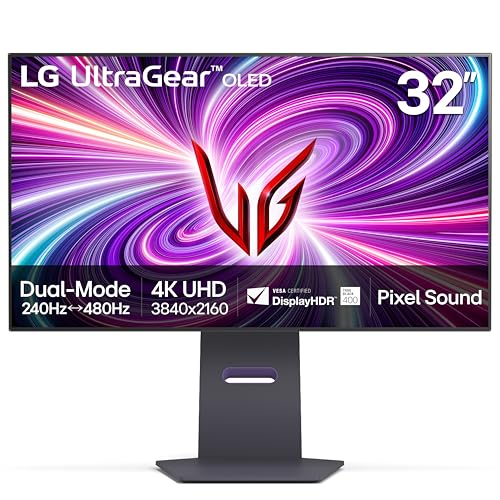
LG's dual-mode screen lets a PC gamer choose between 4K detail at up to 240 Hz and a lower-resolution Full HD mode at up to 480 Hz. Those are separate modes, so this is a good fit for someone who alternates between visually rich games and competitive play rather than expecting both maximums at once.
Check current price on AmazonPaid link may earn commission.
ASUS ROG Swift OLED PG32UCDM
PG32UCDM, 31.5-inch 4K QD-OLED

The PG32UCDM is a flat 4K QD-OLED option for a gaming desk that does not need an ultrawide screen. Its 240 Hz ceiling is most useful with a capable PC and suitable connection; check the exact UCDM model because similarly named ROG monitors use different panels and features.
Check current price on AmazonPaid link may earn commission.
MSI MPG 321URX QD-OLED
MPG 321URX QD-OLED, 31.5-inch 4K

This 4K QD-OLED combines a fast gaming panel with a KVM switch for sharing a keyboard and mouse between systems. That makes it worth considering for a desk used for both work and play, while its OLED care features still call for sensible habits around static desktop content.
Check current price on AmazonPaid link may earn commission.
Alienware 34 QD-OLED Curved Gaming Monitor
AW3425DW, 34-inch 3440 x 1440

Alienware's 34-inch curved QD-OLED offers an ultrawide gaming view without stepping up to a 49-inch super-wide desk. Its 3440-by-1440 resolution favors a wider scene over 4K pixel count, so choose it for the games and workspace you use rather than treating every large monitor as interchangeable.
Check current price on AmazonPaid link may earn commission.
Start with your main task. A work hub can reduce cable clutter, while a gaming OLED makes more sense when your computer can use its speed. Check the exact model, supplied stand and connections when ordering. For OLED models, follow the maker's panel-care guidance and consider how much of your day involves fixed toolbars or other static content.